
FL Studio is perhaps the most popular software for many producers and DJs because of its many features and functions. However, for most newbies, it can initially be pretty daunting to learn because of its complicated UI. But sample packs are a true lifesaver here and help you be more creative.
If you’re new to FL Studio, you may wonder where and how to add these packs into the software, and this guide covers all that.
What is FL Studio?
FL Studio is a DAW (Digital Audio Workstation), and it is used for music production. Since its inception in the late 1990s, it has grown in popularity and become one of the most popular and used DAWs worldwide. Today, FL Studio is used by bedroom producers and Grammy-winning artists alike. It lets you create, mix, and edit your own music and offers you a ton of features.
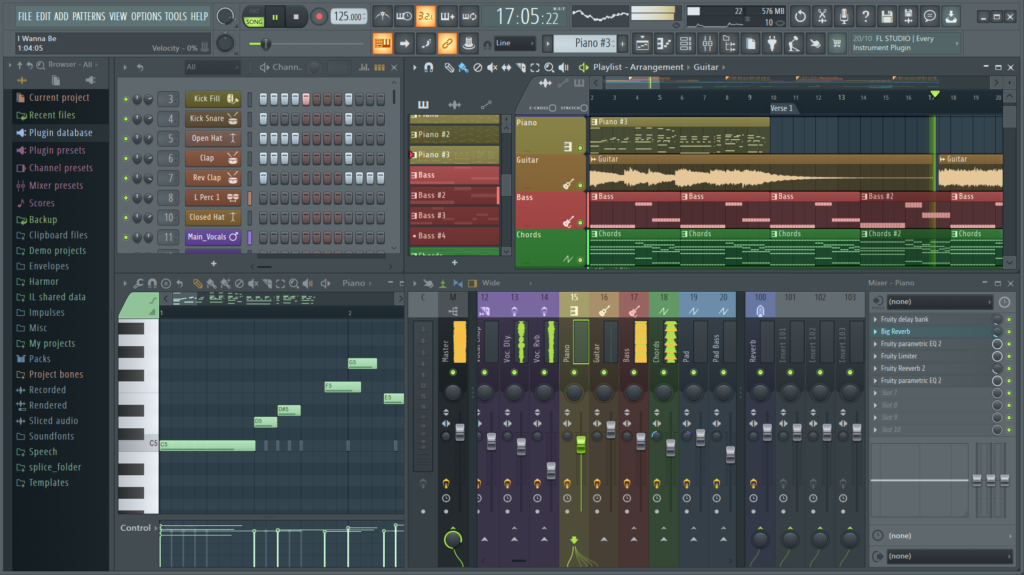
One of this software’s best features is the extensive library of high-quality samples and loops. FL Studio sample packs offer a great way to add new sounds and loops to your tracks. Thousands of them are available on the internet with different music genres.
How much does FL Studio cost?
Although FL Studio is a paid software, it is worth its price tag. It’s a comprehensive music production environment with a wide range of features and plugins that make music production easy and fun.
If you’re a beginner, starting with the Fruity Edition is recommended. It has everything you need to get started making music.
The entry-level Fruity Edition costs $99.00, and the Producer Edition costs $179.00. Once you get more comfortable with the software, you can upgrade to higher editions, which include more features and plugins.
What is a Sample Pack?
A sample pack is a collection of audio files you can use in your music productions. These can be anything from drum loops to one-shots, vocal samples, and sound effects.
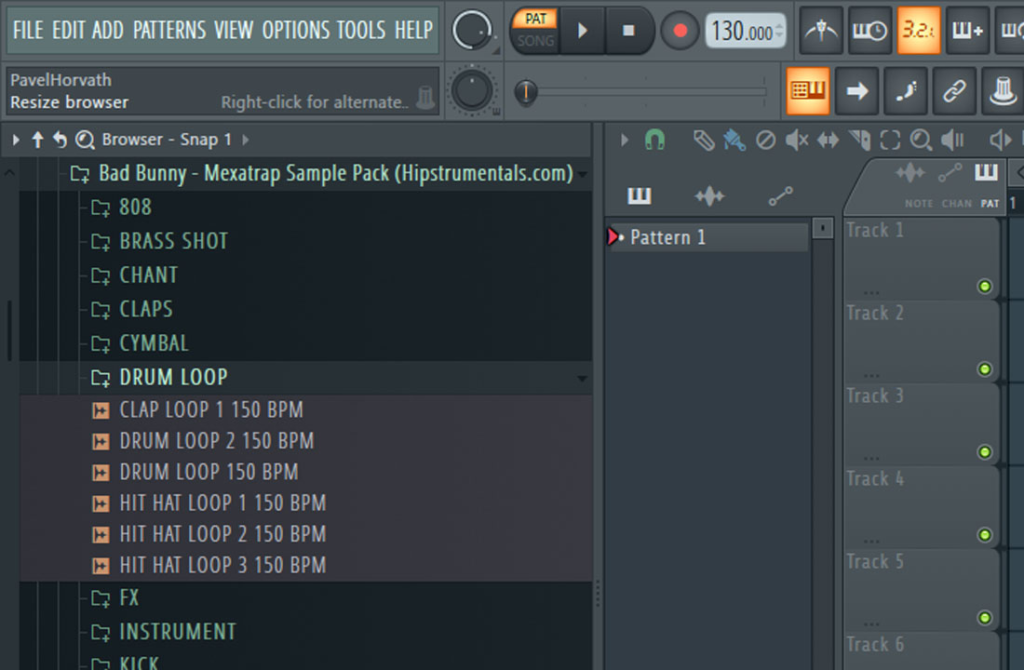
These packs offer a whole library of content you can use, with the packs containing various audio files. Each sample pack comes with detailed information regarding license type, artist details, length, bit-rate, format, and other helpful information that should help you get started on finding a great sound.
What are the different types of sample packs?
Various sample packs are available online, each with its own benefits. Whatever type you’re looking for, there’s sure to be one out there that will suit your needs.
Here are the three most common types:
- Drum Kits – Contain drum hits and MIDI files to allow users to manipulate the drums. They may also come with extra sounds, such as snare rolls or fills.
- Melodic Content – Usually consists of synthesized instruments or real instrument recordings, which can be manipulated in many ways through synthesizers or effects. The sound quality is often relatively high on these types of packs.
- Loops – loops are usually a sequence of one hit per bar, repeated over and over again until it fades out. These loops can range from one second to an entire minute.
What file format do sample packs come in?
A sample pack comes in one of two file formats: WAV or MP3. WAV files are larger and higher quality than MP3 files, but will take up more space on your hard drive. If you don’t have a storage issue and want the best sound quality possible, you should use WAV files; otherwise, choose MP3s as they take up less space.
What is the difference between a sample and a plugin?
If you’re new to FL Studio, you might wonder what the difference between a plugin and a sample pack is.
Plugin presets are simply pre-made settings for VST (Virtual Studio Technology) plugins that you can load into your project. If you’re using complex plugins, this will save you a ton of time. Many producers share their own personal plugin presets online, and there are also many commercially available packs.
Sample packs, on the other hand, typically come in large groups for one genre or sound design style (e.g., hardstyle samples), but this may not suit your needs for certain genres where some instrument tracks may need to sound different from others (e.g., funk instruments).
How do I import samples into FL Studio?
Once you have found the perfect sound pack and downloaded it on your computer, you can start using it in FL Studio. To do this, first, locate the downloaded file on your computer and follow these steps:
Step 1: Launch FL Studio on your computer.
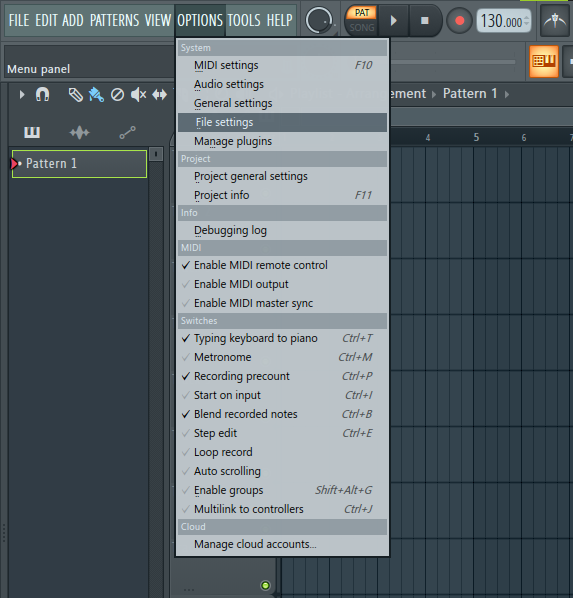
Step 2: On the toolbar menu in the top left corner, go to Options > File Settings.
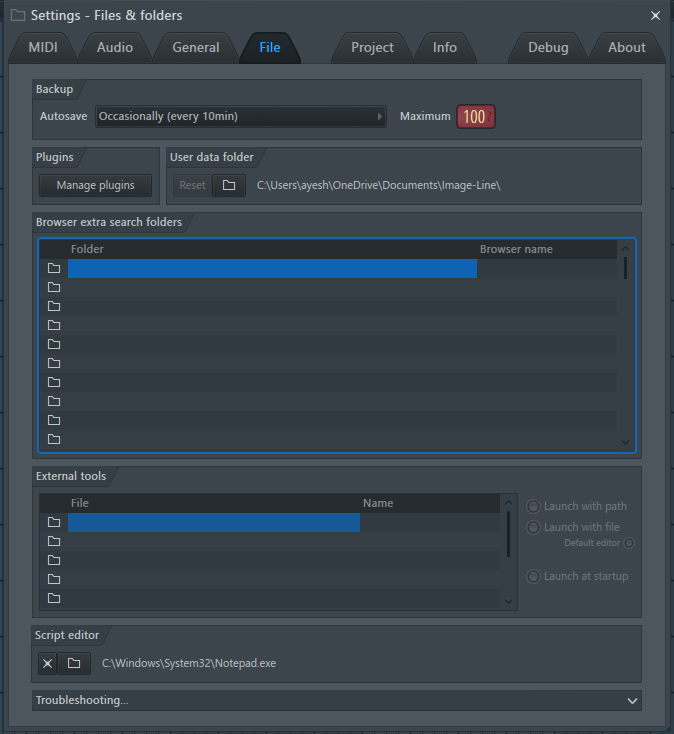
Step 3: In the Pop-up Window, browse the folders, select your sample pack folder, and click OK.
Tip: You can also drag your sample from the folder and drop it into FL Studio.
Is sampling music illegal?
Sampling music without permission is generally illegal and constitutes copyright infringement, as it uses pre-existing sound recordings and compositions. To legally sample, artists must obtain “sample clearance,” which involves getting licenses from both the master recording owner (usually a record label) and the composition owner (publisher/songwriter).
Conclusion
So with these two methods, you can now start using sample packs in your own productions.
The more time you spend exploring, the better you will understand what is possible with this software and develop your own creative ways to produce new sounds. This includes everything from modern-day pop to hip-hop, instrumental music, or even classic rock samples.
